Most of this update came from requests salons sent us. Here is what changed and where to find it.
Share one visit between staff
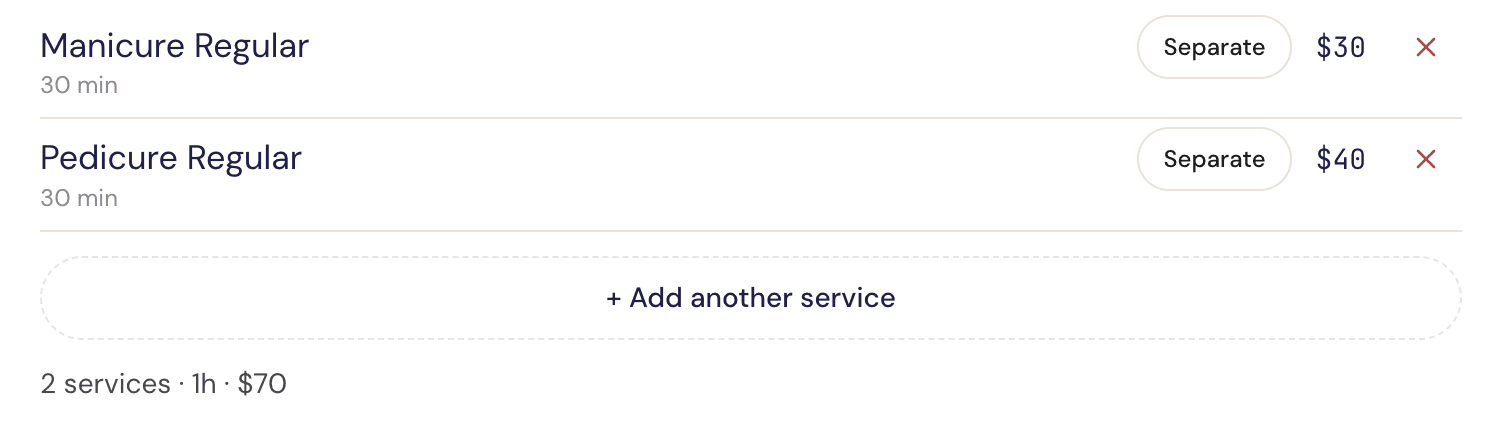
A customer books a manicure and a pedicure, and two of your staff do them. Open the appointment, click "Edit", then "Separate" next to a service and pick who does it. It can start at the same time as the main service or right after.
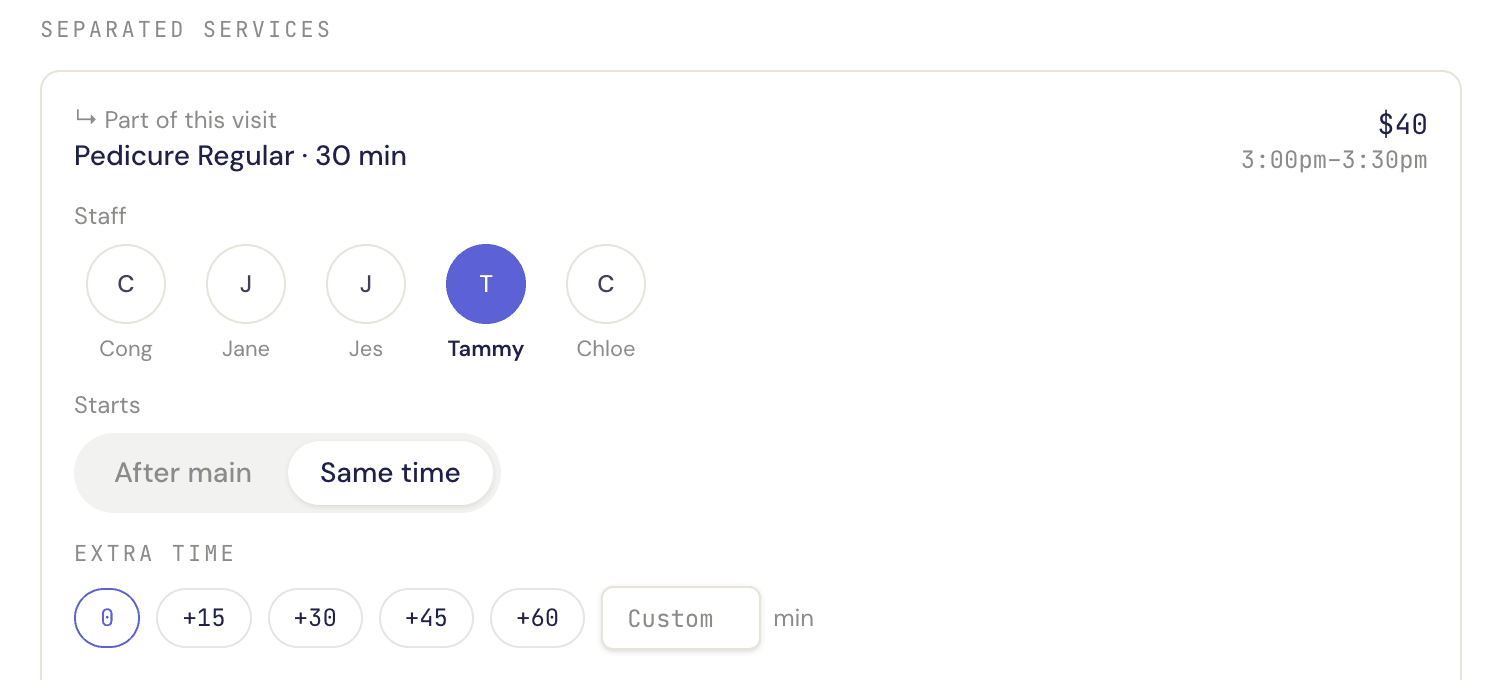
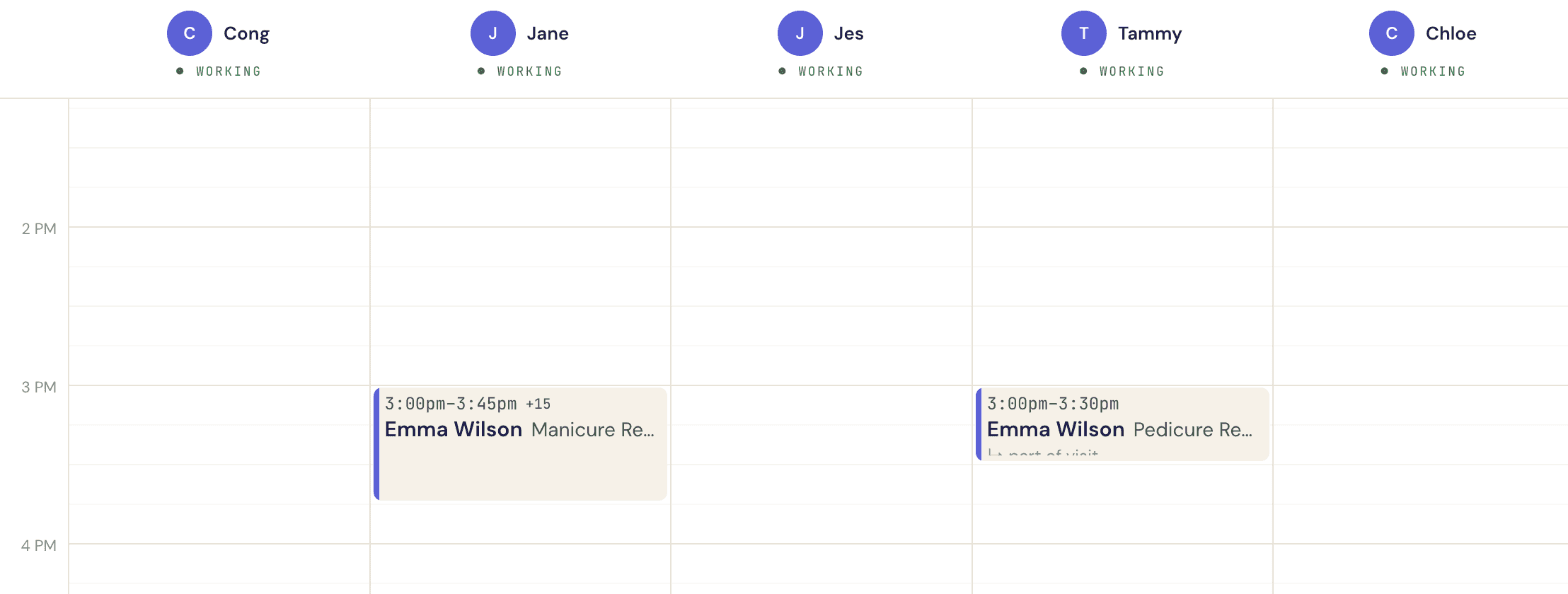
Each staff member sees their part on the calendar. It is still one visit: one checkout, one confirmation, one reminder. The customer sees a single booking and can still reschedule it from their link. It also works for each guest in a group.
Extra time
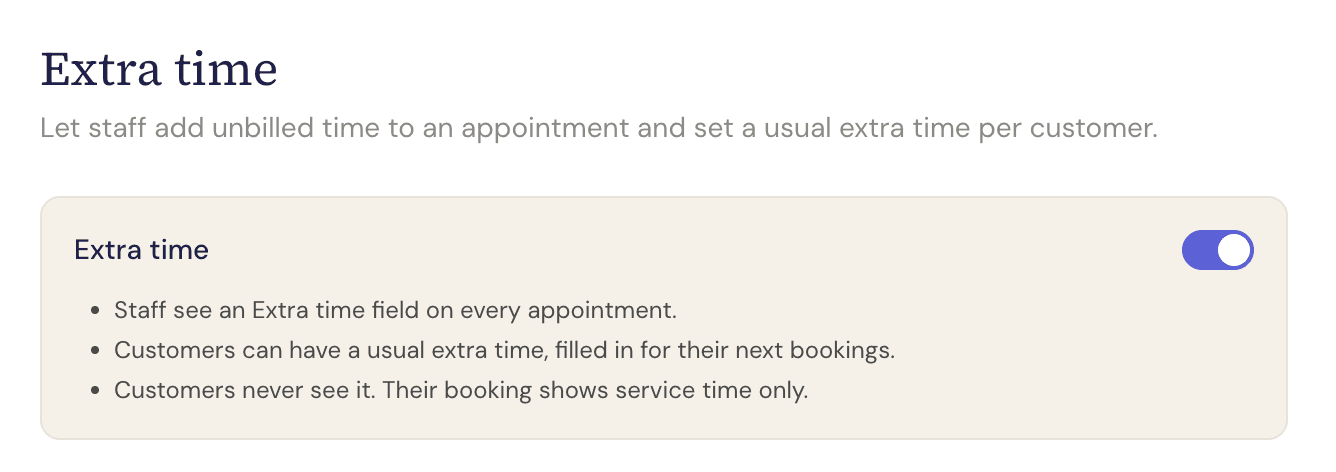
Some customers need a little longer. You can now add unbilled minutes to an appointment so the calendar holds the chair, without changing the price.
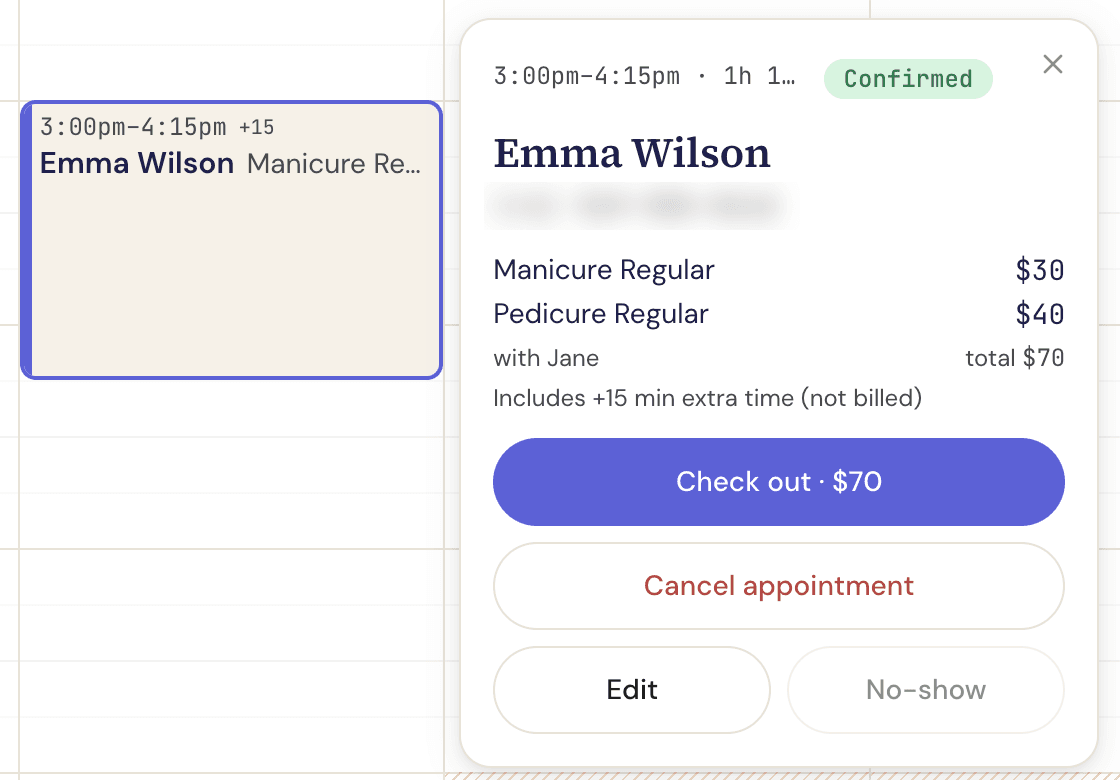
- Pick +15, +30, +45, +60 or a custom amount on any appointment.
- Set a customer's "Usually needs extra time" once and it fills in on their next bookings, online bookings included.
- Customers never see it. Their confirmation and reminder show the service time only.
It is off by default. Turn it on in Settings → Booking rules → Extra time.
"From" prices and durations
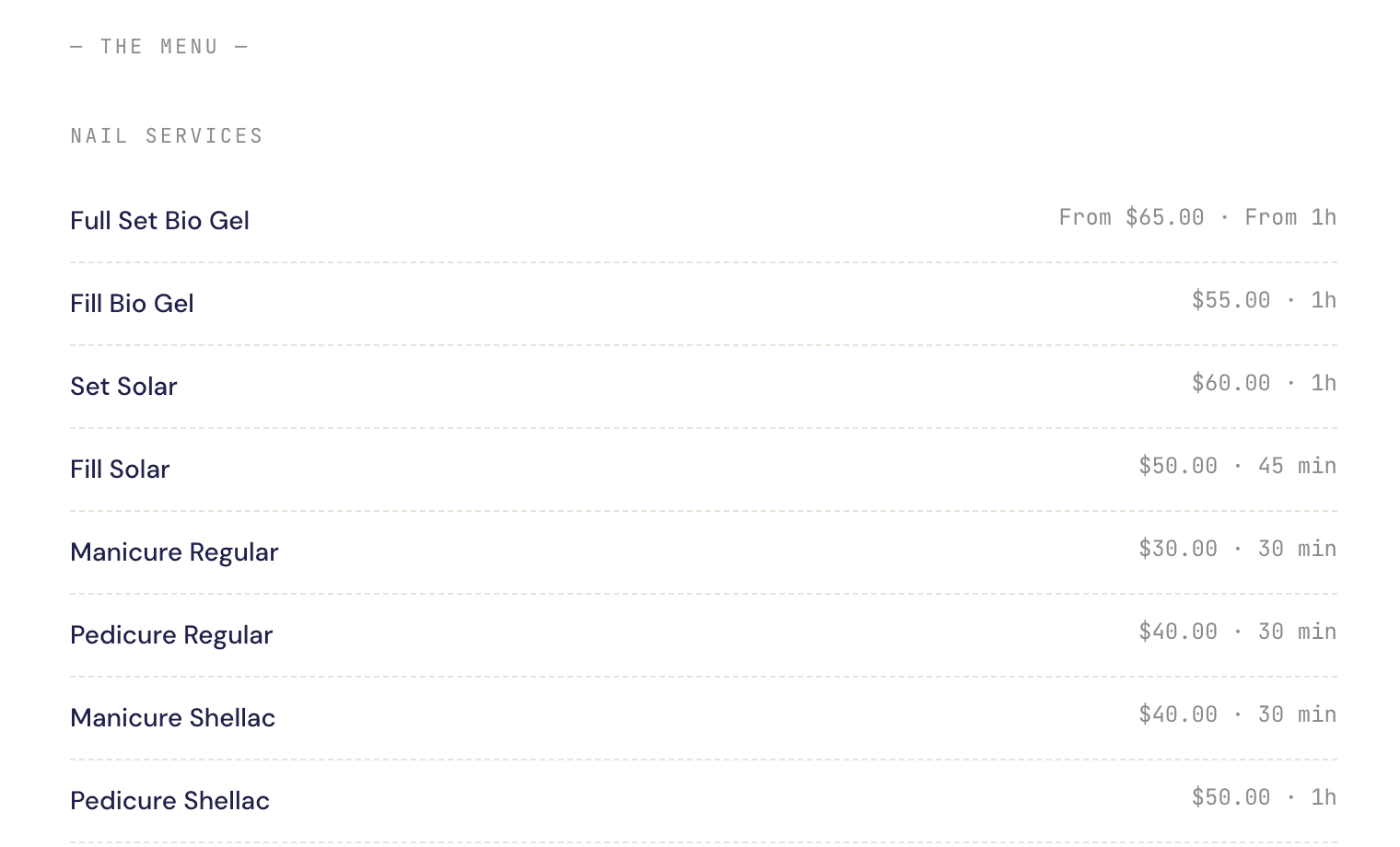
For services where the price or time depends on the customer, show "From $65" or "From 1h" instead of a fixed number. In Services, edit a service and tick "Time varies" or "Price varies".
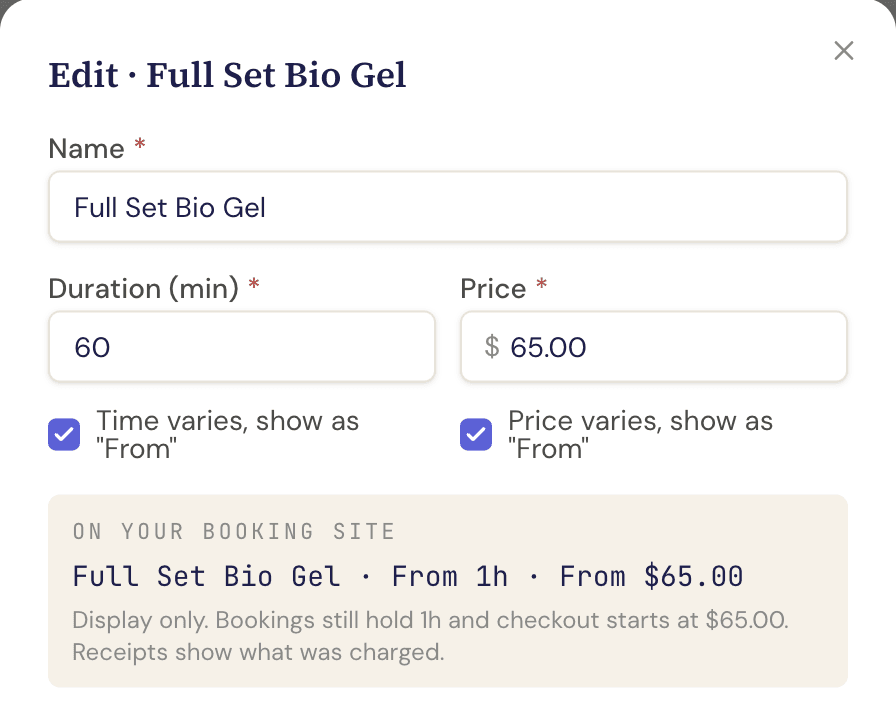
Customers see it on your booking page and in their confirmation and reminder emails. Nothing else changes: the booking still holds the time you set, and checkout starts at the price you set.
Add or remove a guest in a group
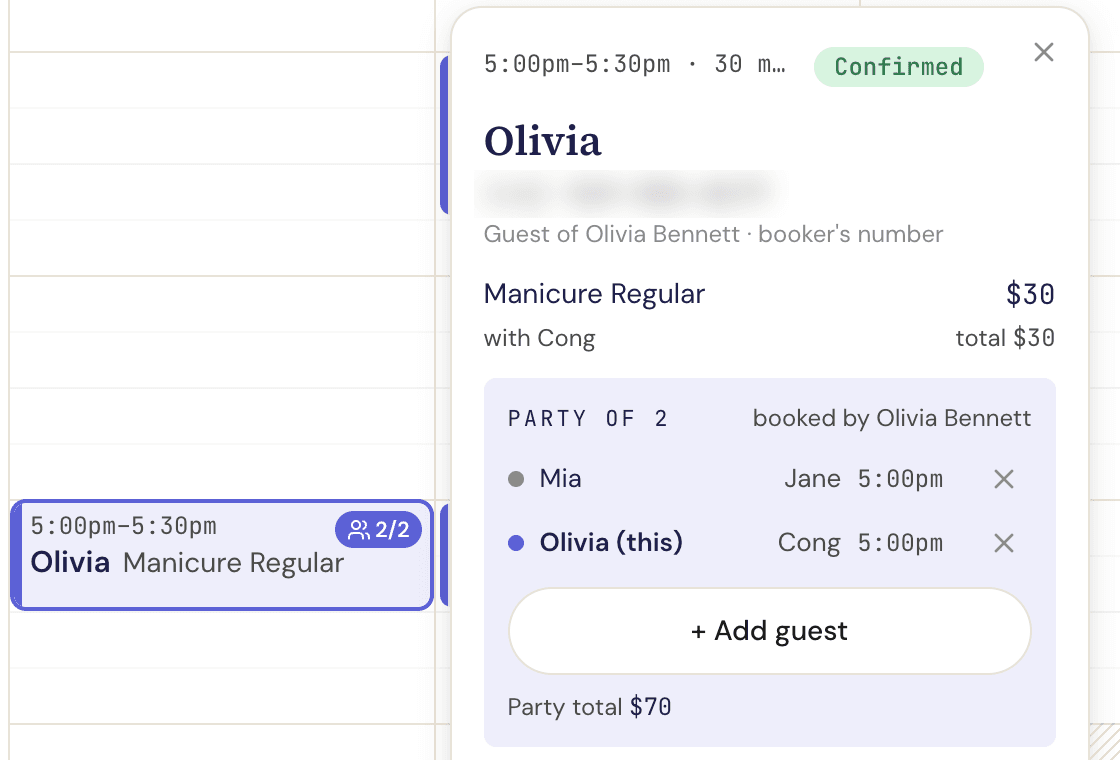
A friend joins at the last minute, or one cannot make it. Open any appointment in the group and use "+ Add guest", or the ✕ next to a name. No need to rebook the whole group.
Also in this update
- A group booking now gets one SMS reminder, not one per guest.
- Resend a team invitation from the Team page.
- Stronger sign-in protection.